
How I design and set up a scalable boilerplate, integrate pipelines and ensure my team can ship confidently right away
Every time I start a new project or get brought onto one that is already in motion, the first thing I do is look at how the repo is structured and whether there is a pipeline in place. It tells me everything about how the team works and how much pain is coming.
I have a pretty opinionated setup I reach for everytime. It's not perfect and I still tweak things but the core of it hasn't changed much in months.
Why boilerplate even matters
People treat boilerplate like a chore. Like you do it once, forget about it and move on. But the decisions you make in that first week of a project compound. A messy folder structure gets worse with every feature. Missing CI from the start means every engineer has their own idea of what DONE means. and you end up with a messy workflow.
The goal of a good boilerplate is simple. a new contributor should be able to clone the repo, run one command and have a working local environment. Then they should be able to make a change, push it and trust that something is going to catch their mistakes before it ever gets to prod.
That is it. the whole thing.
How I structure the repo
I mostly work on fullstack projects so my boilerplate is skewed that way. I use a monorepo when the project has more than one service. For small single service things, I keep it flat.
Top level looks something like this
/frontend    — web facing frontend stuffs
/services    — api gateways and actual services or apps
/packages    — shared code, utils, types
/infra       — docker, nginx, k8s manifests, whatever IaC i am using
/.github     — actions workflows
/Makefile    — dev env automation with docker-compose
/scripts     — helpers, db seeds, migration runners
I try to keep the services folder dumb. Each service should be self-contained enough that you can mostly understand it without reading the rest of the repo. Shared logic lives in packages and gets imported. I've worked on codebases where shared logic is just copied between services.
One thing i am strict about is keeping infra in the repo. Not in some separate ops repo that nobody except one person has access to. If your infra isn't version controlled alongside your code, you're going to have a bad time eventaully.
Setting up the pipeline from the start
I set up CI on day one.
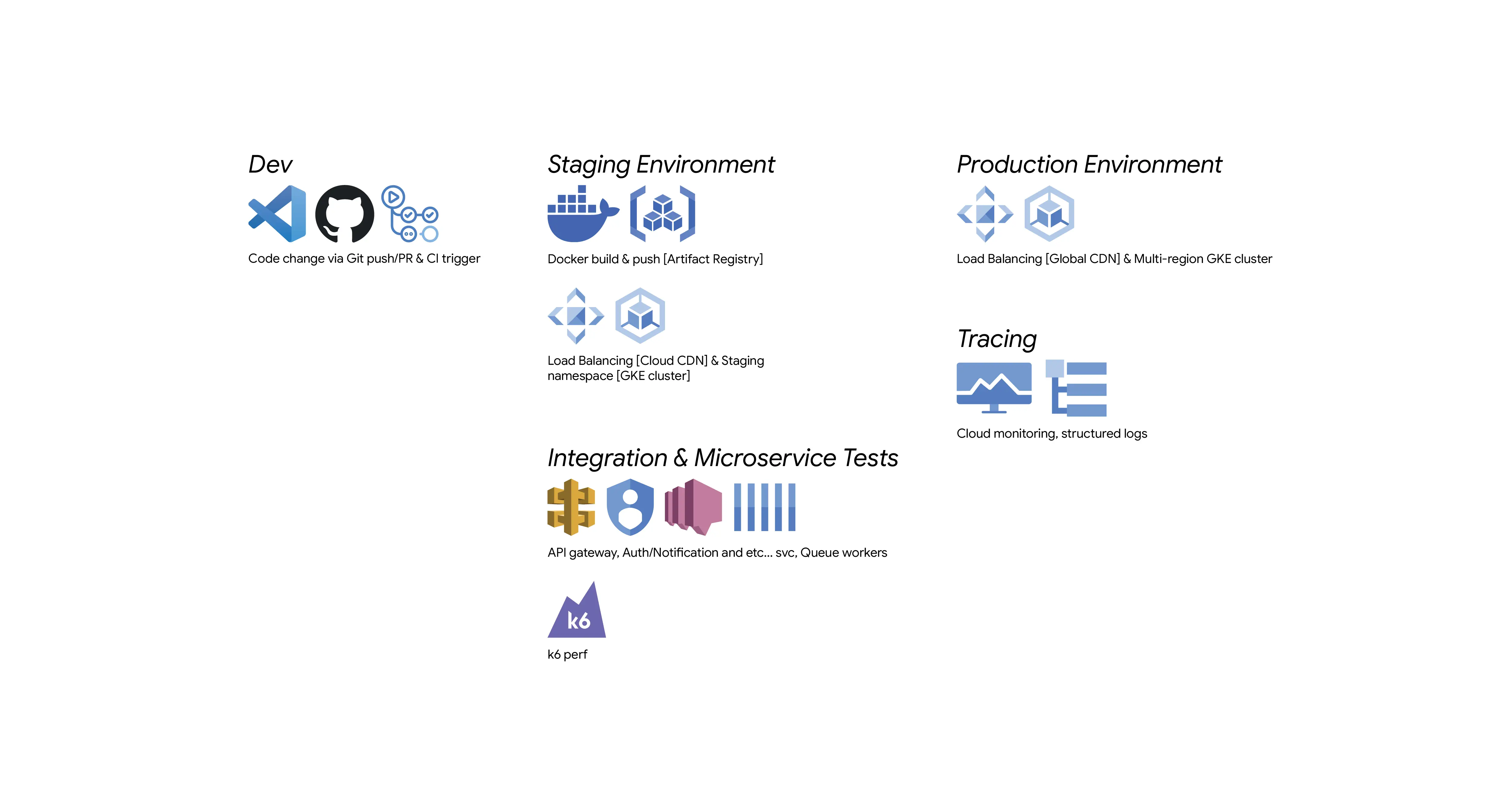
The pipeline I land on is usually GitHub Actions cause I don't want to manage another service for that. The structure is two main workflows
ci.ymlruns on every PR. Lint, type check, tests, docker build.deploy.ymlruns on merge to main. Deploys to staging. Deploys to prod after approval.
A few things I always include in CI that are easy to forget
- Cache your dependencies.
npm ciwith a cache key saves 30 to 60 seconds per run. - Run docker build as part of CI.
- Pin your action versions. Using
@mainor@lateston a third party action is a supply chain risk and also just annoying when it breaks silently.
Staging env is not optional
I've worked with teams that skip staging because it feels like overhead. even i often skipped it year ago. and every single one of those teams eventually has a production incident that staging would have caught.
My staging setup mirrors the prod env. Same docker images, same environment variables structure (not the actual secrets), same infrastructure config. The only difference between is scale. Prod might run three replicas, staging runs one. But the topology is the same.
I use GCP for most things. Cloud Run for stateless services, GKE when I need more control or when there are multiple services that talk to each other. Behind a load balancer and Cloud CDN. Staging gets its own GCP project. Not a namespace in the same project. A separate project with its own IAM, its own billing. It makes it much easier to reason about what is running where.
Getting the team to actually use it
The best boilerplate in the world is useless if the team doesn't follow it.
A few things that actually help
- Writing a good README. Just how to set up locally, how to run tests, how a deploy happens. If someone needs to ask Slack how to run the project that's a doc failure.
- Making the local dev experience fast. I spend time on this. Hot reload and fast db migrations
- PR templates. What does this change do, how was it tested, any deploy notes. Takes two minutes to fill out and saves so much time during review.
- Protect main. No direct pushes. All changes through PR. This is obvious
What I get wrong
Secrets managment is the thing I probably handle worst. I guess the right answer is something like Google Secret Manager or AWS Secrets Manager and I do use those in production. But the local development secret setup is always a bit awkward. I’m usually copying values between machines or keeping a personal .env file. It gets the job done, aint great.
And honestly documentation. I write the README and then never touch it again. By the second month it's almost wrong and nobody even trusts it LOL.
Closing thoughts
None of this is groundbreaking. Most of it you've probably done or heard before. But the difference between knowing this stuff and actually doing it from the starting on every project is bigger than I expected when I started taking it seriously.
If you're starting something new this week, set up CI first. Before you write a single feature. You'll thank yourself later.